
Guideline
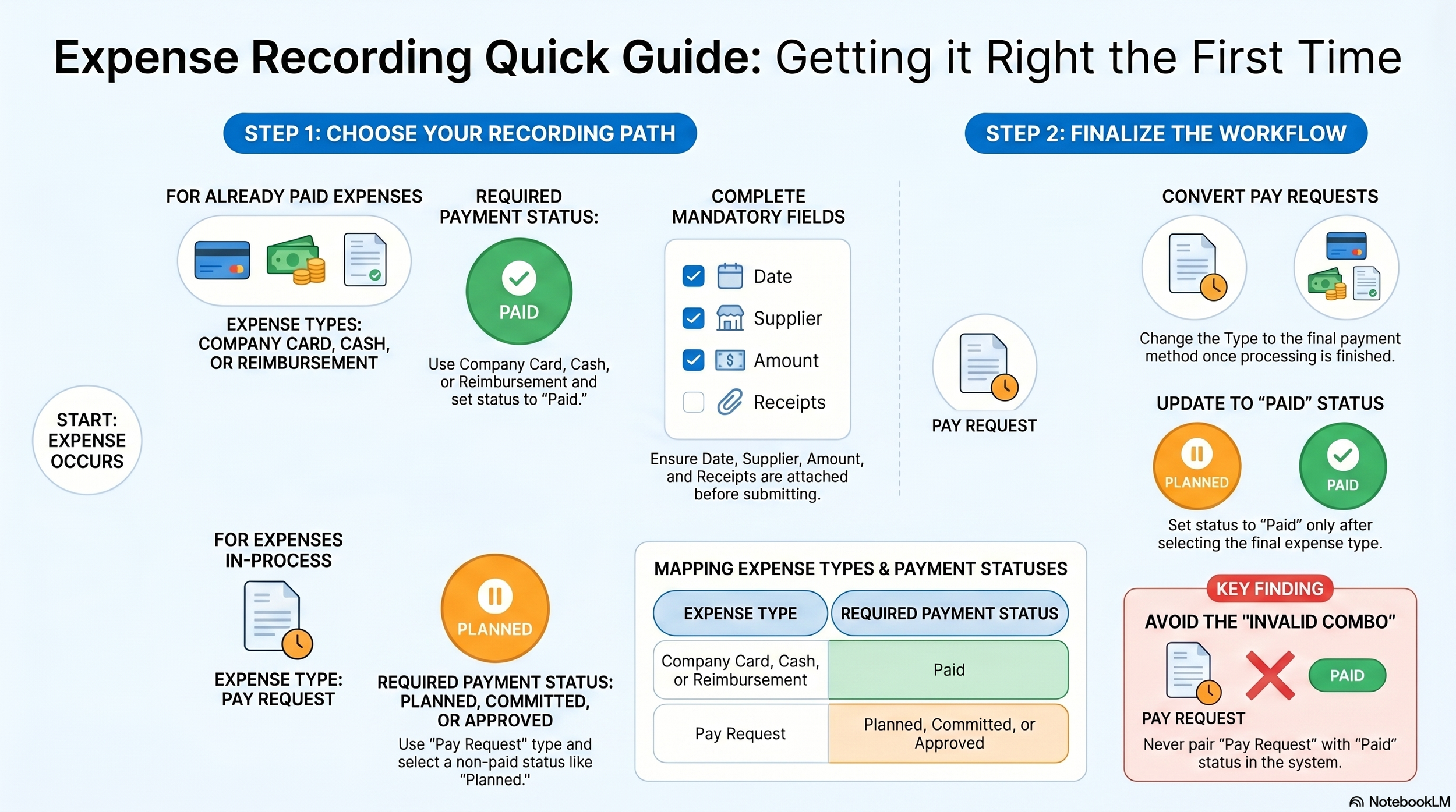
Expense Recording Quick Guide
If already paid, use Company Card / Cash / Reimbursement
These three types must use Payment Status = Paid
Use Pay Request only for expenses still in process
Once payment is completed, change the record to the final expense type before setting it to Paid
Expense Record SOP1. Purpose
This SOP sets out the correct procedure for recording expense entries in the system to ensure consistency, accuracy, and proper approval workflow.
2. Scope
This procedure applies to all staff who create, submit, review, or update expense records.
3. Expense Type Definitions
Before creating an expense record, staff must select the correct Expense Type.
3.1 Company Card
Use this when the expense has already been paid using a company card.
3.2 Cash
Use this when the expense has already been paid in cash.
3.3 Reimbursement
Use this when a staff member has already paid the expense personally and is claiming reimbursement.
3.4 Pay Request
Use this only when the expense is still in the payment request process and has not yet been finalised under its final payment method.
Important:
Pay Request is a process stage only. It is not a final expense type.
4. Payment Status Rules4.1 Final Expense Types
If the Expense Type is:
Company Card
Cash
Reimbursement
then the Payment Status must be:
Paid
4.2 Pay Request
If the Expense Type is:
Pay Request
then the Payment Status must not be Paid.
Pay Request may only use non-final workflow statuses, such as:
Planned
Committed
Pay Approved
Manager Holding
5. Recording Procedure
5.1 If the Expense Has Already Been Paid
If the payment has already been completed, staff must:
Create a new expense record.
Select the correct final Expense Type:
Company Card
Cash
Reimbursement
Confirm that Payment Status is Paid.
Complete all required fields, including:
Date
Supplier / Payee
Amount
Details
Supporting documents or receipts
Any other mandatory information
Save and submit the record.
5.2 If the Expense Is Still in the Payment Request Process
If the expense has not yet been paid and requires internal approval or payment processing, staff must:
Create a new expense record.
Select Expense Type = Pay Request.
Select the appropriate non-final Payment Status.
Complete all required supporting details.
Save and submit the record for processing.
6. Finalisation of a Pay Request
Once a Pay Request has been processed and payment is completed, the record must be updated to reflect the final payment outcome.
Required action:
Change the Expense Type from Pay Request to the final expense type:
Company Card
Cash
Reimbursement
Update Payment Status to Paid.
Not allowed:
A record must not remain as:
Expense Type = Pay Request
Payment Status = Paid
This combination is invalid because Pay Request is only a workflow stage, not a final expense classification.
7. Key Rules for Staff
All staff must follow these rules:
Use Company Card, Cash, or Reimbursement only for final paid expenses.
Use Pay Request only for expenses still in process.
Do not use Paid status with Pay Request.
Once payment is completed, convert the record to the final expense type before setting Payment Status to Paid.
8. Common Errors to AvoidIncorrect Example 1
Expense Type = Pay Request
Payment Status = Paid
Why this is wrong:
Pay Request is not a final expense type.
Incorrect Example 2
Expense Type = Cash
Payment Status = Pending
Why this is wrong:
Cash indicates the expense has already been paid, so the status must be Paid.
Incorrect Example 3
Expense Type = Reimbursement
Payment Status = Pay Approved
Why this is wrong:
Reimbursement is a final paid expense type and must use Paid status.
9. Summary
Use the following principle when recording expenses:
If the expense is already paid, use the final expense type and set Payment Status to Paid.
If the expense is still going through the payment process, use Pay Request and a non-Paid status.
After payment is completed, update the record to the final expense type before marking it as Paid.
10. Compliance
Failure to follow this SOP may result in:
incorrect expense records
reporting errors
approval workflow issues
misclassification of expense data
All staff are required to comply with this procedure when recording expenses.